



English | 中文
Warning
Neovim 0.12 migration pending. plenary.nvim will be archived on 2026-06-30, and undotree in this config depends on it. Migrating to Neovim 0.12 solves this cleanly: 0.12 ships a built-in undotree UI (neovim/neovim#35627), so the plenary-backed undotree plugin can be dropped entirely. This project will migrate as soon as possible.
The blocker is nvim-treesitter: it has a known bug with 0.12. Neovim 0.12 bundles all treesitter functionality into core but still lacks a parser installer. I'm waiting for a community-maintained treesitter installer before upgrading the whole config to 0.12.
If you're already on Neovim 0.12, do not use this config yet.
Every editor — VS Code, Emacs, Sublime, JetBrains, Neovim — is a composition of the same eight things:
- A plugin manager that disappears into the background
- The editor's own knobs —
vim.opt, autocmds, the built-ins - A modal keymap layer you fully own
- A UI with taste — dashboard, statusline, indent guides, colorscheme
- An editing flow — pairs, file tree, picker, which-key, marks, terminal
- First-class language support — for every language, all eight of: Tree-sitter, LSP, completion, diagnostics, linter, formatter, DAP, snippets
- Version control that doesn't make you drop to a shell
- AI integration — because it's 2026 and ignoring it is its own statement
This config covers all eight.
You're already maintaining your own config. You're trying to organize 20+ language setups without the whole thing becoming a mess, you've outgrown copy-pasting from someone else's init.lua, or you want to see what a from-scratch architecture looks like at some scale.
Or: you're using LazyVim, NvChad, AstroVim, LunarVim and you're starting to run into its limits. You can't quite articulate what you want changed, but you know your editor is doing things you don't fully understand. This repo is a from-scratch alternative.
If you're brand new to Neovim, start with kickstart.nvim. Come back here in six months.
Requirements:
- Neovim 0.11+
- Git, a Nerd Font
- a C compiler (for tree-sitter parsers)
ripgrep(required bygrug-farand other pickers).
git clone https://github.com/SOV710/nvim-config ~/.config/nvim
nvim
lazy.nvim bootstraps itself on first launch, installs all plugins, and mason-tool-installer pulls every mason-managed package.
Then run:
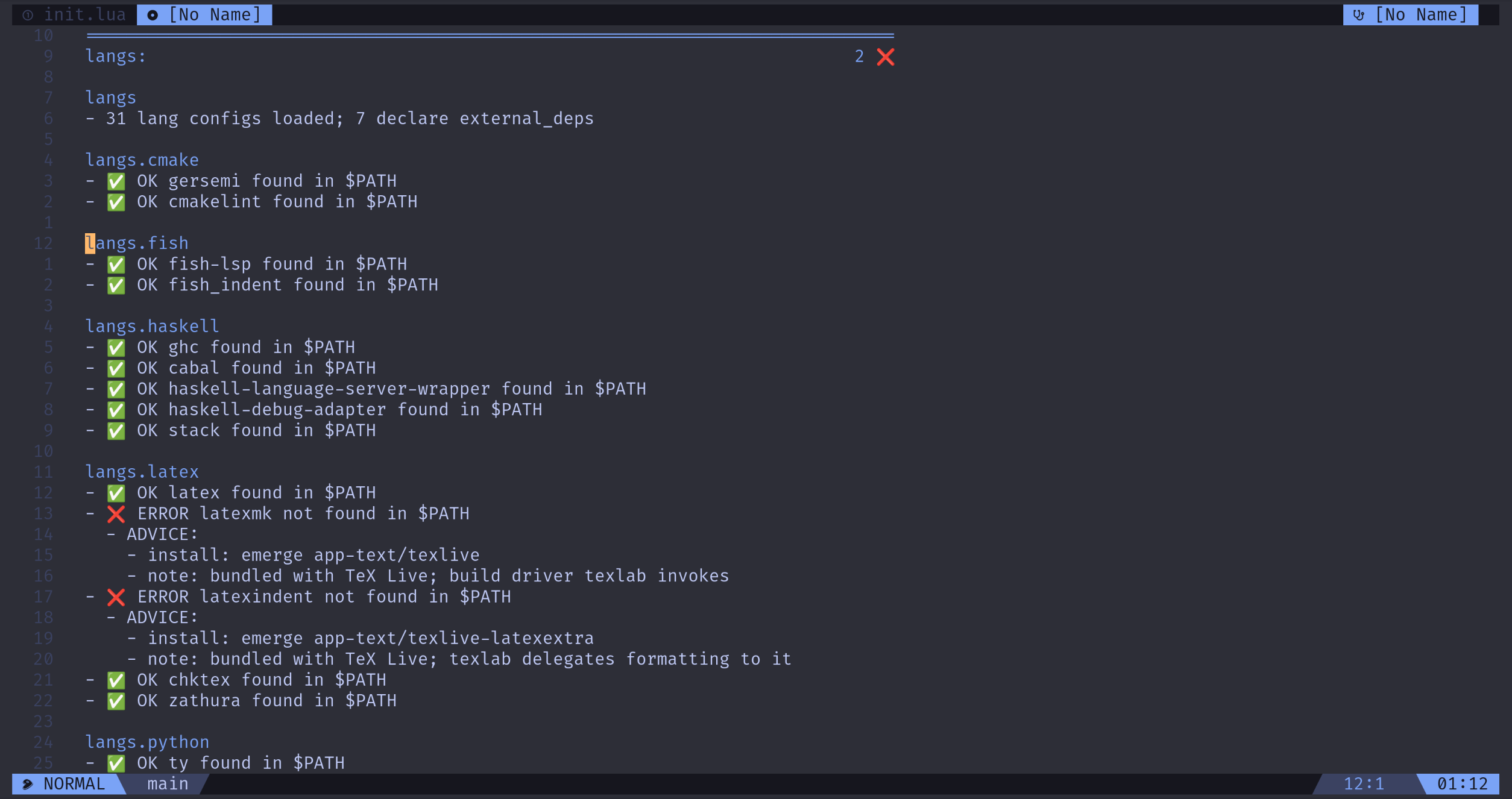
:checkhealth langsThis reports which non-mason external tools still need installing, with the install command for each.
lazy.nvim. Spec files are organized by purpose under lua/plugins/{ui,editor,langs,git,ai}/, each directory imported as a unit. Snacks modules live in separate spec files under lua/plugins/ui/; lazy.nvim merges them automatically.
lua/core/options.lua — a few dozen lines of vim.opt. If something can stay a default, it stays a default.
All keymaps live under lua/keymaps/, organized by feature. Plugin specs never call vim.keymap.set directly — they reference keymap files that return plain tables:
-- lua/plugins/editor/flash.lua
return {
  'folke/flash.nvim',
  event = 'VeryLazy',
  opts = {},
  keys = require('keymaps.editor.flash'),
}
-- lua/keymaps/editor/flash.lua
return {
{ 's', mode = { 'n', 'x', 'o' }, function() require('flash').jump() end, desc = 'Flash jump' },
{ 'S', mode = { 'n', 'x', 'o' }, function() require('flash').treesitter() end, desc = 'Flash treesitter' },
}All keymaps are greppable from one directory.
A few notable bindings:
s/S→ flash (overrides native substitute, which I never use)m→ grapple toggle (overrides native mark)'→ grapple menu (overrides native mark jump)+/-→ dial (replaces<C-a>/<C-x>)<leader>g*→ git,<leader>h*→ hunks,<leader>a*→ AI
Tokyo Night colorscheme throughout. The statusline and tabline are a custom heirline build — the tabline integrates grapple.nvim so marked files appear directly in the top bar.
| Component | Plugin |
|---|---|
| Colorscheme | folke/tokyonight.nvim |
| Statusline + tabline | rebelot/heirline.nvim (custom) |
| Messages | folke/noice.nvim (messages only; cmdline stays inline at the bottom) |
| Dashboard, indent, scroll, statuscolumn, image | folke/snacks.nvim |
| Mode-aware cursorline | mvllow/modes.nvim |
| Color literals (hex, CSS, Tailwind) | brenoprata10/nvim-highlight-colors |
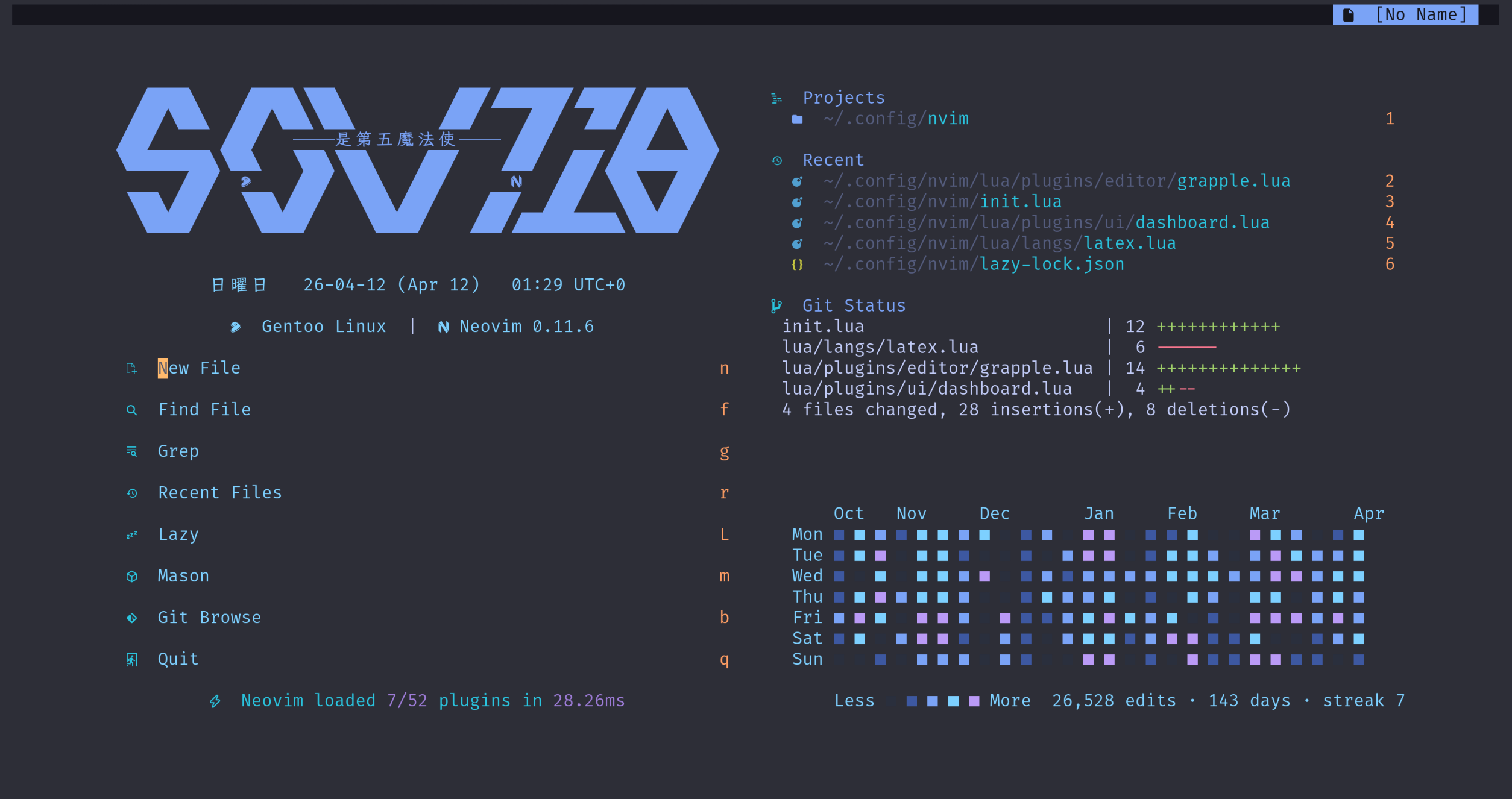
🚧 Showcase pending: full UI tour — dashboard → editing buffer → grapple-aware tabline (15s GIF)
| Component | Plugin |
|---|---|
| File explorer | stevearc/oil.nvim + snacks.explorer |
| Picker | snacks.picker (replaces telescope) |
| Motion | folke/flash.nvim |
| Surround | echasnovski/mini.surround |
| Pairs | windwp/nvim-autopairs |
| Match brackets / tags | andymass/vim-matchup |
| Text objects | nvim-treesitter-textobjects |
| Yank ring | gbprod/yanky.nvim |
| Comments | folke/ts-comments.nvim (treesitter-aware) |
| Marks (harpoon-style) | cbochs/grapple.nvim |
| LSP reference jumps | snacks.words |
| Scratch buffer | snacks.scratch |
| Split / join | Wansmer/treesj |
| Inc / dec | monaqa/dial.nvim |
| Undo tree | jiaoshijie/undotree |
| Substitute | gbprod/substitute.nvim |
| Project search & replace | MagicDuck/grug-far.nvim |
| Terminal | akinsho/toggleterm.nvim |
| Which-key | folke/which-key.nvim |
🚧 Showcase pending: 10s flash.nvim jump GIF
🚧 Showcase pending: grapple marks appearing in heirline tabline (10s GIF)
Each supported language — Rust, Go, Python, TypeScript, Haskell, Lua, C/C++, LaTeX, Fish, SQL, and 20+ others — has a single file under lua/langs/. That file declares everything: LSP server config, treesitter parsers, formatters, linters, DAP adapters, snippets, mason packages, file-type detection, and any language-specific plugins.
A typical lua/langs/<name>.lua:
return {
  filetypes = { 'rust' },
  treesitter = { 'rust' },

  lsp = {
    rust_analyzer = {
      settings = {
        ['rust-analyzer'] = {
          checkOnSave = { command = 'clippy' },
        },
      },
    },
  },

  formatter = 'rustfmt',
  -- linter omitted: rust_analyzer covers it

  dap = {
    adapter        = { codelldb = { type = 'server', port = '${port}', ... } },
    configurations = { rust = { { name = 'Launch', type = 'codelldb', ... } } },
  },

  snippets = function()
    local ls = require('luasnip')
    return {
      ls.snippet('pln', { ls.text_node('println!("'), ls.insert_node(1), ls.text_node('");') }),
    }
  end,

  mason = { 'rust-analyzer', 'codelldb' },

  external_deps = {
    { cmd = 'cargo',   install = 'rustup default stable',          required = true },
    { cmd = 'rustfmt', install = 'rustup component add rustfmt',   required = true },
  },

  plugins = {
    { 'mrcjkb/rustaceanvim', version = '^5', lazy = false },
  },
}
lua/core/language.lua scans lua/langs/*.lua on require and aggregates the declarations into:
| Aggregated as | Consumed by |
|---|---|
language.formatters |
conform.nvim |
language.linters |
nvim-lint |
language.treesitter |
nvim-treesitter's ensure_installed |
language.mason |
mason-tool-installer |
language.dap_adapters, language.dap_configurations |
nvim-dap |
language.snippets |
LuaSnip |
language.plugins |
injected directly into the lazy.nvim spec |
| LSP servers | registered via the native vim.lsp.config / vim.lsp.enable API — no nvim-lspconfig |
So conform's full spec is:
opts = {
  formatters_by_ft = require('core.language').formatters,
}
🚧 Showcase pending: architecture diagram —
lua/langs/*.lua→core/language.lua→ fan-out to consumers
Toggling languages. Each lang file accepts an enabled = false field. When set, the file is dropped during the scan and all downstream consumers (LSP, conform, lint, DAP, snippets, mason) lose it consistently. Useful for isolating which language broke after a plugin update.
External dependencies. Many language toolchains can't be managed by mason — tsgo builds from source, ty ships via PyPI, HLS via GHCup, fish-lsp via npm, sleek via cargo, and things like latexindent and chktex come bundled with TeX Live. Each lang file with non-mason deps documents them in two places:
- A top-of-file block comment with the install command and a one-liner to verify it.
- A structured
external_depsfield consumed by:checkhealth langs, which reports what's present and what's missing.
:checkhealth langs

==============================================================================
langs:                                          require("langs.health").check()

haskell ~
- OK ghc
- OK cabal
- ERROR haskell-language-server: not found
  - install: ghcup install hls recommended
- WARN haskell-debug-adapter: not found (optional)
  - install: cabal install haskell-debug-adapter haskell-dap ghci-dap

python ~
- OK ty

rust ~
- OK cargo
- OK rustfmt
The plumbing per language:
| Layer | Plugin |
|---|---|
| Package manager | williamboman/mason.nvim + WhoIsSethDaniel/mason-tool-installer.nvim |
| Tree-sitter | nvim-treesitter |
| LSP | vim.lsp.config + vim.lsp.enable (native, no nvim-lspconfig) |
| Completion | saghen/blink.cmp (Rust fuzzy matcher) |
| Snippets | L3MON4D3/LuaSnip + friendly-snippets |
| Formatter | stevearc/conform.nvim |
| Linter | mfussenegger/nvim-lint |
| Diagnostics | vim.diagnostic (native) + rachartier/tiny-inline-diagnostic.nvim |
| Diagnostics list | folke/trouble.nvim |
| DAP | mfussenegger/nvim-dap + theHamsta/nvim-dap-virtual-text |
Language-specific plugins. Injected into the lazy.nvim spec via each lang file's plugins field:
| Language | Plugin |
|---|---|
| Rust | mrcjkb/rustaceanvim, Saecki/crates.nvim |
| Haskell | mrcjkb/haskell-tools.nvim |
| C / C++ | p00f/clangd_extensions.nvim |
| LaTeX | lervag/vimtex |
| Clojure / Lisp | Olical/conjure |
| Markdown | MeanderingProgrammer/render-markdown.nvim |
| CSV / TSV | cameron-wags/rainbow_csv.nvim |
| JSON / YAML | b0o/SchemaStore.nvim |
| Ghostty | bezhermoso/tree-sitter-ghostty |
| Component | Plugin | Purpose |
|---|---|---|
| Hunks in the gutter | lewis6991/gitsigns.nvim |
]h / [h jump, <leader>hs stage hunk, blame line |
| Git commands | tpope/vim-fugitive |
:Git status, commit, push, pull, blame |
| Diff viewer | sindrets/diffview.nvim |
Visual diffs and file history |
| Open in browser | Snacks.gitbrowse |
<leader>gB to GitHub / Codeberg |
The four tools don't overlap: fugitive handles git commands, diffview handles viewing diffs, gitsigns handles in-buffer hunk operations, gitbrowse opens the web view.
In practice the plugin I reach for most in this section is toggleterm. Most git operations — stage, commit, rebase, push — happen in a shell buffer. The four plugins above exist to cover the cases a terminal is awkward for: inline blame, hunk navigation inside the current buffer, side-by-side diffs, and jumping to a commit on the web.
coder/claudecode.nvim— Claude Code bridge over WebSocket MCP. Bindings under<leader>a*: toggle the terminal, send the visual selection, accept or deny a diff, switch model, resume a previous session.
No chat overlay or inline code generation. Just a terminal bridge.
Honestly, I'd rather install nothing in this layer. Modern coding agents — Claude Code, Codex — are moving toward standalone TUIs with their own chatbox; the editor doesn't need to sit inside the loop. That's why I chose claudecode.nvim over avante.nvim: I'm not trying to rebuild a Cursor-like experience inside Neovim. The one thing I occasionally want is to hand Claude Code some context from the current buffer or selection, and for that I prefer it as a floating window rather than a docked sidebar.
- Drop a new file:
lua/langs/<name>.lua - Fill in the fields you need (everything is optional except
filetypes) - Restart Neovim
The aggregator picks it up on the next require; all downstream plugins see the new entries automatically.
To temporarily disable a language without deleting the file, add enabled = false at the top and restart. It disappears from all consumers — LSP, formatters, linters, DAP, snippets.
- Delete
lua/langs/<name>.lua— or just trim the unwanted entries out of itsmasonfield. - Restart Neovim.
- Run
:checkhealth langs. Thelangs.masonsection flags any mason package that's installed but no longer declared. - Remove orphans with
:MasonUninstall <pkg>(targeted) or:MasonToolsClean(all at once).:MasonToolsCleanalso removes packages belonging to a lang currently markedenabled = false, so prefer per-package uninstall if you have disabled langs.
init.lua                     -- lazy.nvim bootstrap, top-level setup
lua/
├── core/
│   ├── options.lua
│   ├── language.lua         -- the aggregator
│   └── sysinfo.lua
├── keymaps/                 -- every keymap, organized by feature
│   ├── init.lua
│   ├── editing.lua
│   ├── winbuf.lua
│   ├── snacks.lua
│   ├── which-key.lua
│   ├── editor/
│   ├── git/
│   ├── ai/
│   └── langs/
├── plugins/
│   ├── snacks.lua           -- central Snacks registration
│   ├── ui/
│   ├── editor/
│   ├── langs/               -- completion, format, lint, treesitter, dap, mason, snippets
│   ├── git/
│   └── ai/
└── langs/                   -- one file per language; the source of truth
    ├── rust.lua
    ├── python.lua
    ├── haskell.lua
    └── ...
Thanks to @Lingshinx for the great ASCII art.
GPL-3.0-or-later. See LICENSE.
Every source file carries an SPDX-License-Identifier header.